

If your Sunrise Melody M3 Electronic Wind Instrument won't turn on or isn't playing in the right pitch, you can follow these troubleshooting steps to diagnose and potentially resolve the issue:
If the M3 Electronic Wind Instrument Won't Turn On:
Check the Battery: Ensure that the battery is charged. If the battery is low, the instrument may not power on. Connect the instrument to a power source using the Type-C charging cable and wait for a while to see if the battery level is the issue.
Reset the Instrument: Sometimes, a simple reset can resolve power issues. Remove the battery (if removable), wait for a few minutes, and then reinsert the battery and try turning it on again.
Check for Physical Damage: Inspect the power button and the charging port for any visible damage that might prevent the instrument from turning on.
Contact Customer Service: If none of the above steps work, it's possible that there's an internal issue with the instrument. Contact Sunrise Melody's customer service for further assistance.
If the M3 Electronic Wind Instrument Isn't Playing in the Right Pitch:
Check the Semi-tone Keys: Ensure that the semi-tone keys are not touching each other, which could cause pitch issues.
Check the Fingering Selection: Verify that the correct fingering method is selected for the instrument. The wrong fingering selection can result in incorrect pitch.
Adjust the Blowing Force: The blowing force setting might be too high or too low, affecting the pitch. Adjust the blowing force using the function knob and find the setting that gives the correct pitch.
Check for Obstructions: Make sure there are no obstructions in the mouthpiece or any of the keys that could affect the pitch.
Reset to Factory Settings: If the pitch is consistently off, you might need to reset the instrument to its factory settings. This can usually be done by pressing and holding a specific combination of keys, often the function key and another key simultaneously.
Calibrate the Instrument: Some electronic wind instruments have a calibration feature to ensure accurate pitch. Refer to the manual to see if the M3 has this feature and how to use it.
Consult the Manual: The user manual may have specific instructions for pitch calibration or other pitch-related adjustments.
Contact Technical Support: If you're unable to resolve the pitch issue on your own, reach out to Sunrise Melody's technical support for guidance.
Remember, it's important to handle these issues carefully to avoid causing further damage to your instrument. If you're unsure about any of the steps or if the problem persists, contacting the manufacturer's customer service is the best course of action.
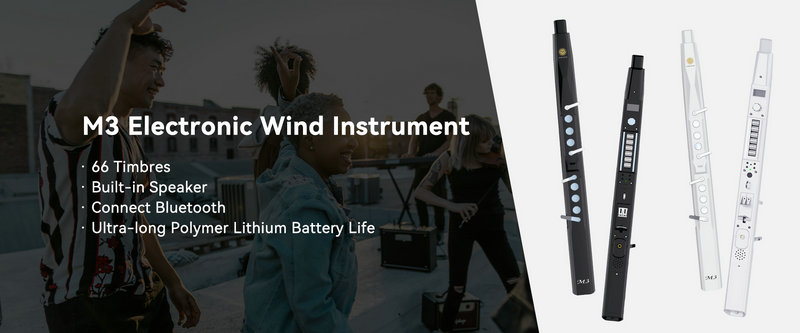
SUNRISE MELODY M3 Electronic Wind Instrument - The best-selling Electronic Wind Instrument
. 66 Timbres
. Built-in Speaker
. Connect Bluetooth
. Ultra-long Polymer Lithium Battery Life