

Yes, the M3 Electronic Wind Instrument allows you to adjust the touch sensitivity settings to suit your playing style and preferences. Here's how you can change the touch sensitivity settings:
Function Knob: The function knob is the primary tool for adjusting various parameters on the M3, including touch sensitivity. Rotate the function knob to navigate through the different settings displayed on the screen.
Select Touch Sensitivity Setting: Once you've navigated to the touch sensitivity setting using the function knob, press the function knob to enter the adjustment mode for touch sensitivity.
Adjust the Sensitivity: After entering the touch sensitivity adjustment mode, you can increase or decrease the sensitivity by rotating the function knob. The display will show the current sensitivity level, usually represented by a numerical value.
Fine-Tuning: Adjust the sensitivity until you find the level that works best for you. Some players may prefer a more responsive touch, while others might find a less sensitive setting more comfortable.
Confirm Changes: Once you've set the desired touch sensitivity, you can either rotate to another setting and the change will be automatically saved, or you may need to press a specific button to confirm and save the changes, depending on the instrument's interface.
Testing: After adjusting the touch sensitivity, test the keys to ensure the new settings meet your needs. Play a few notes or scales to get a feel for the new sensitivity level.
Readjust if Necessary: If the new settings are not to your liking, you can always return to the touch sensitivity setting and make further adjustments until you achieve the desired responsiveness.
By customizing the touch sensitivity, you can enhance your playing experience and make the M3 Electronic Wind Instrument more responsive to your unique playing technique.
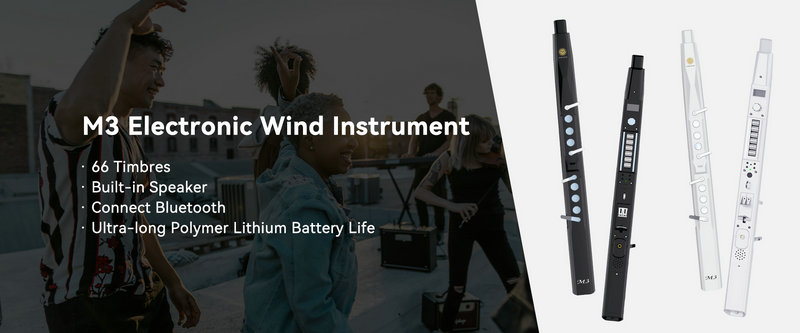
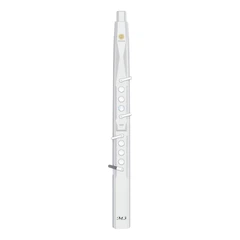
SUNRISE MELODY M3 Electronic Wind Instrument - The best-selling Electronic Wind Instrument
. 66 Timbres
. Built-in Speaker
. Connect Bluetooth
. Ultra-long Polymer Lithium Battery Life