

Here are the steps to test the delay of an electronic wind instrument after connecting it to an external device:
I. Preparation
Equipment Setup
Connect the electronic wind instrument to the external device (such as an amplifier, audio interface, or synthesizer) using the appropriate cables (e.g., MIDI cable, audio cable).
Ensure that both the electronic wind instrument and the external device are powered on and in the correct operating mode.
Software Tools (Optional but Recommended)
If possible, use a digital audio workstation (DAW) or MIDI monitoring software. Some DAWs, like Ableton Live or Logic Pro, can be used to record and analyze MIDI and audio signals. There are also dedicated MIDI monitor applications that can display MIDI data in real - time.
II. Testing Procedure
Generate a Known Signal
On the electronic wind instrument, play a simple and distinct pattern. For example, a series of single, evenly - spaced notes with a consistent tempo. This could be a simple scale or a short rhythmic pattern.
Record the Output
If using a DAW, set up an audio or MIDI track to record the output from the external device. Start recording before playing the pattern on the electronic wind instrument.
If using a MIDI monitor, simply observe the MIDI data as it is received from the instrument.
Analyze the Delay
Audio Delay (if applicable)
In the DAW, zoom in on the recorded audio waveform. Look for the time difference between when you played the note on the instrument and when the corresponding sound is heard in the recording. This can be measured in milliseconds (ms). For example, if you played a note at time 0 seconds and the sound starts at 0.05 seconds, the delay is 50 ms.
MIDI Delay
In the MIDI monitor software, check the time - stamps of the MIDI messages. Compare the time when you played the note (which can be estimated based on your own physical action) with the time the MIDI message is received by the software. The difference in time is the MIDI delay.
Repeat and Average
Repeat the process of playing the pattern and recording/monitoring several times. Calculate the average delay over these multiple tests to get a more accurate measurement. This helps to account for any variability in the performance of the instrument or the external device.
Test Different Scenarios
Test the delay with different note velocities (soft and hard playing) as this may affect the processing time in some devices.
Also, test different functions on the electronic wind instrument, such as using different presets or engaging special effects, to see if they have an impact on the delay.
By following these steps, you can effectively test the delay of an electronic wind instrument when connected to an external device.
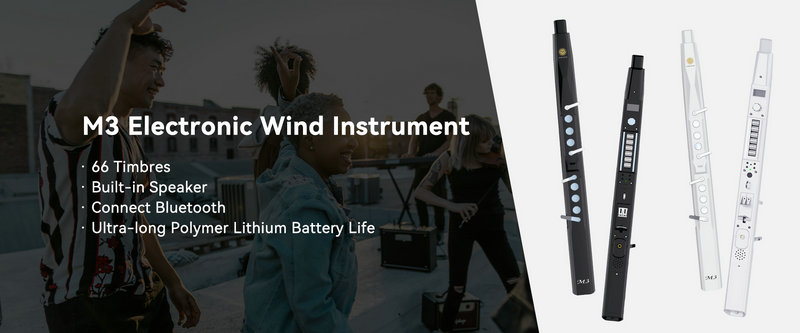
SUNRISE MELODY M3 Electronic Wind Instrument - The best-selling Electronic Wind Instrument
. 66 Timbres
. Built-in Speaker
. Connect Bluetooth
. Ultra-long Polymer Lithium Battery Life