
Here are some ways to optimize the performance of an EWI's processor to reduce audio glitches:
Update Firmware and Software:
Regularly check the manufacturer's website for the latest firmware updates for your EWI. These updates often include bug fixes and performance improvements that can enhance the stability and processing power of the instrument. Follow the manufacturer's instructions carefully to install the firmware updates9.
If you are using the EWI with computer software or apps, make sure to keep them updated as well. Software updates may include compatibility fixes and optimizations for better performance with the EWI.
Manage Memory Usage:
Delete unused or rarely used sound patches and presets from the EWI's memory to free up space. This can help the processor access the necessary sound data more quickly and reduce the likelihood of glitches caused by memory shortages.
Avoid loading too many complex sound patches simultaneously. If possible, use only the essential sounds for a particular performance or session and switch between them as needed, rather than having a large number of sounds loaded at once.
Optimize Power Supply:
Use a reliable and stable power source for the EWI. If it uses batteries, make sure they are fully charged and in good condition. Weak or depleted batteries can cause power fluctuations that may affect the processor's performance and lead to audio glitches2.
If the EWI has an option for a power adapter, use a high-quality adapter that provides a consistent power output. Avoid using cheap or unregulated power adapters, as they can cause power-related issues.
Reduce Background Processes:
Turn off any unnecessary features or functions on the EWI that may be running in the background and consuming processor resources. For example, if there are built-in effects or features that you are not using, disable them to free up processing power for sound generation.
If you are using the EWI in a setup that involves other connected devices, such as a computer or a MIDI controller, close any unused applications or processes on those devices to reduce the overall processing load and minimize the risk of interference with the EWI's performance.
Calibrate Sensors:
Proper calibration of the EWI's breath sensor and finger sensors is essential for accurate sound generation and smooth performance. Follow the manufacturer's instructions to calibrate these sensors regularly. Incorrect sensor calibration can lead to inconsistent sound output and may contribute to audio glitches3.
Clean the sensors regularly to remove any dirt, dust, or debris that may interfere with their operation. Use a gentle cleaning solution and a soft cloth to clean the sensor areas carefully.
Optimize MIDI Settings:
If you are using MIDI to control the EWI or to connect it to other devices, make sure the MIDI settings are configured correctly. Set the appropriate MIDI channels, velocities, and other parameters to ensure smooth communication between the EWI and the connected devices.
Adjust the MIDI buffer size or latency settings if available. Increasing the buffer size can help reduce the risk of MIDI data loss or glitches, but it may introduce a slight delay in the sound response. Experiment with different settings to find the optimal balance between latency and stability10.
Manage Environmental Factors:
Use the EWI in an environment with stable temperature and humidity levels. Extreme temperatures or high humidity can affect the performance of the electronic components in the instrument and may cause audio glitches. Avoid using the EWI in direct sunlight or in areas with high moisture levels2.
Keep the EWI away from sources of electromagnetic interference, such as mobile phones, wireless routers, and other electronic devices. These can interfere with the instrument's processor and cause audio glitches or other performance issues.
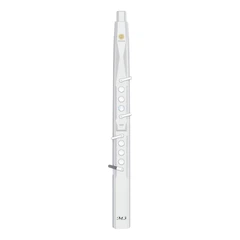
SUNRISE MELODY M3 Electronic Wind Instrument - The best-selling Electronic Wind Instrument
. 66 Timbres
. Built-in Speaker
. Connect Bluetooth
. Ultra-long Polymer Lithium Battery Life