
Here are some ways to optimize the performance of the EWI's processor to reduce audio glitches and upgrade an EWI for individual players:
Processor Optimization:
Close Unnecessary Background Processes: If the EWI has an operating system or runs background tasks, make sure to close any unnecessary applications or processes that may be consuming processor resources. This can free up more processing power for sound generation and switching, reducing the likelihood of glitches. For example, if there are any pre-installed apps or functions on the EWI that you don't need while playing, disable or close them.
Manage Memory Usage: Regularly check the memory usage of the EWI and delete any unused sound patches, presets, or data that may be taking up unnecessary space. This helps ensure that there is enough available memory for the processor to load and handle sound changes smoothly. Some EWIs may have a built-in memory management function that allows you to optimize the use of memory, so make use of such features if available.
Update Firmware and Software: Keep the EWI's firmware and any associated software up to date. Manufacturers often release updates that can improve the performance and stability of the processor, as well as fix any known bugs or issues that may cause audio glitches. Check the manufacturer's website regularly for new updates and follow the instructions to install them correctly.
Optimize Power Supply: Ensure that the EWI is receiving a stable and sufficient power supply. Use high-quality batteries or a reliable power adapter, and avoid using the instrument in areas with poor power quality or voltage fluctuations. Unstable power can affect the performance of the processor and lead to audio glitches, so make sure the power source is reliable.
EWI Upgrading:
Upgrade Sound Library: Consider upgrading or replacing the sound library of your EWI with a high-quality, optimized one. Some third-party sound libraries are specifically designed to work well with EWIs and can offer better sound quality and reduced glitches. Make sure to choose a sound library that is compatible with your EWI model and has good reviews from other users.
Add External Memory: If your EWI allows for external memory expansion, adding more memory can help improve its performance. This can provide more space for storing sound patches and data, reducing the strain on the internal memory and processor. However, make sure to use memory modules that are compatible with your EWI and follow the manufacturer's instructions for installation.
Modify or Upgrade Hardware Components: For more advanced users, it may be possible to modify or upgrade certain hardware components of the EWI to improve its performance. This could include upgrading the sensors, such as the breath sensor or finger sensors, to more sensitive and accurate ones. You could also consider upgrading the internal circuitry or components that affect the processing power, such as the processor itself or the capacitors. However, this requires technical knowledge and skills, and it is important to ensure that any modifications are done properly to avoid damaging the instrument.
Use External Processors or Effects Units: Connecting the EWI to an external processor or effects unit can offload some of the processing tasks from the EWI's internal processor and improve the overall sound quality. For example, using a digital signal processor (DSP) or a multi-effects pedal can add additional processing power and allow you to customize the sound further, while also reducing the burden on the EWI's processor. Make sure to choose external devices that are compatible with the EWI and have good performance and stability.
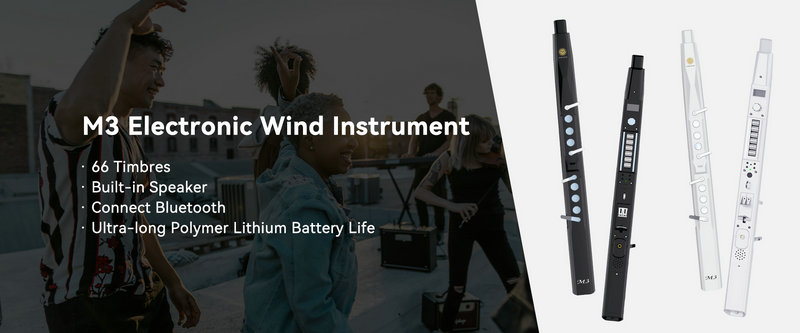
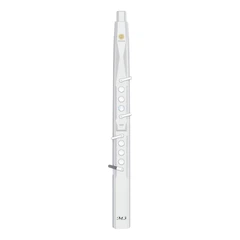
SUNRISE MELODY M3 Electronic Wind Instrument - The best-selling Electronic Wind Instrument
. 66 Timbres
. Built-in Speaker
. Connect Bluetooth
. Ultra-long Polymer Lithium Battery Life