
To prevent audio glitches when frequently switching EWI sounds, you can consider the following methods:
1. Choose High-Quality Equipment
Select a Reputable Brand and Model: Well-known brands with a good reputation for producing quality EWIs often invest more in research and development, resulting in better sound processing capabilities. Higher-end models may have more advanced processors and memory management systems that can handle frequent sound switching more smoothly. Research and read reviews to find an EWI that is known for its reliable performance during sound transitions.
Check for Firmware Updates: Manufacturers sometimes release firmware updates to improve the performance and stability of their instruments. Regularly check the manufacturer's website for any available updates for your EWI model and install them promptly. These updates may address known issues related to sound switching and other aspects of the instrument's functionality, enhancing its overall performance.
2. Optimize Sound Libraries and Patches
Use High-Quality Sound Libraries: If your EWI allows you to load custom sound libraries, choose libraries that are well-designed and optimized for your instrument. Some third-party sound libraries may not be fully compatible or may have been created with different hardware in mind, which can lead to glitches. Look for libraries that are specifically developed for your EWI model or have been tested and proven to work well with it.
Simplify and Consolidate Sound Patches: If you create or modify your own sound patches, try to keep them as simple as possible while still achieving the desired sound. Complex sound patches with multiple layers and effects may require more processing power and memory, increasing the likelihood of glitches during switching. Consolidate similar sounds or effects into fewer patches to reduce the load on the instrument's resources.
3. Manage Memory and Resources
Close Unused Applications: If you are using the EWI in conjunction with other software or devices, make sure to close any unnecessary applications or processes running in the background. These can consume system resources and potentially affect the EWI's performance, especially when it comes to sound switching. Free up as much memory and processing power as possible to ensure smooth operation of the instrument.
Allocate Sufficient Memory: Some EWIs allow you to adjust the amount of memory allocated to sound processing. Refer to the instrument's manual to see if this option is available and, if so, allocate an appropriate amount of memory based on your usage patterns. Increasing the memory allocation dedicated to sound can help prevent glitches caused by insufficient resources during sound switching.
4. Practice and Adapt Your Playing Technique
Anticipate Sound Changes: Develop a habit of anticipating the sound changes you need to make during a performance or practice session. This allows you to mentally prepare for the switch and adjust your playing technique more smoothly. By being aware of the upcoming sound change, you can better control your breath, finger movements, and other aspects of your playing to minimize any disruptions in the sound.
Smooth Transitions: Work on creating smooth transitions between sounds by gradually adjusting your playing dynamics and technique. Instead of making abrupt changes, try to blend the sounds together by gradually changing the breath pressure, finger positions, or other parameters. This can help mask any minor glitches that may occur during the actual sound switching process and create a more seamless musical experience.
5. Ensure Proper Power Supply and Environment
Use a Stable Power Source: If your EWI is powered by batteries, make sure they are fresh and fully charged. Weak or dying batteries can cause power fluctuations, which may lead to audio glitches. Consider using a high-quality rechargeable battery pack or a power adapter if available to provide a consistent power supply to the instrument.
Play in a Suitable Environment: Avoid playing the EWI in areas with strong electromagnetic interference, such as near large electrical appliances, wireless routers, or other electronic devices. These can interfere with the instrument's internal electronics and cause audio problems. Additionally, ensure that the temperature and humidity levels are within the recommended range for the instrument to prevent any adverse effects on its performance.
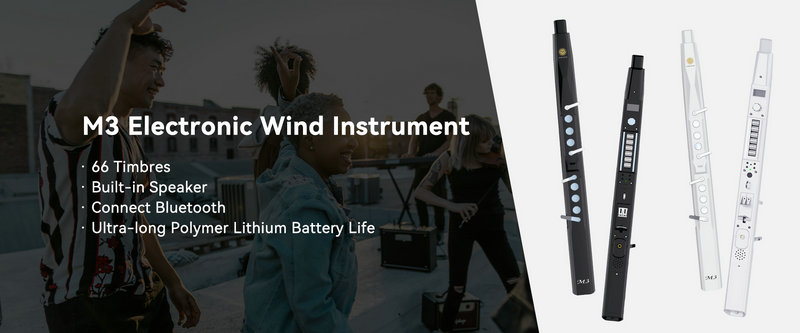
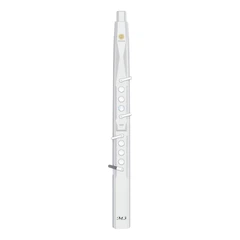
SUNRISE MELODY M3 Electronic Wind Instrument - The best-selling Electronic Wind Instrument
. 66 Timbres
. Built-in Speaker
. Connect Bluetooth
. Ultra-long Polymer Lithium Battery Life