
Here are several ways to determine the frequency range of your electronic wind instrument:
1. Consult the User Manual
Manufacturer's Specifications: The most straightforward method is to refer to the user manual that came with your instrument. Manufacturers usually provide detailed technical specifications, including the frequency range of the instrument's signal transmission. These manuals are often available in printed form or can be downloaded from the manufacturer's website. The frequency range will typically be given in hertz (Hz) or kilohertz (kHz). For example, it might state that the wireless transmission frequency is within the 2.4 - 2.4835 GHz range if it uses a Bluetooth - like wireless protocol.
2. Check the Instrument's Display or Interface
On - instrument Indicators: Some electronic wind instruments have a built - in display or indicator lights that can provide information about the frequency or wireless connection status. For example, there may be a small LED that blinks at a certain frequency or a digital display that shows the current transmission frequency or channel number. By observing these on - instrument indicators, you can get an idea of the frequency range being used.
Menu - driven Interface: Many modern instruments have a menu - driven interface accessible through buttons or a touchscreen. Navigate through the instrument's settings menu to look for options related to wireless settings, signal properties, or frequency. The instrument may display the frequency range directly or provide options to adjust it within a specific range, which can then tell you the possible frequencies it operates on.
3. Use Diagnostic Software or Apps
Manufacturer - provided Software: Some instrument manufacturers offer diagnostic software that can be installed on a computer or mobile device. Connect your instrument to the computer or pair it with the mobile device and run the software. The software will often be able to query the instrument for various technical details, including the frequency range. This is especially useful for more complex instruments with advanced digital features.
Third - party Apps: There are also some third - party apps available for mobile devices that can detect and analyze the wireless signals from electronic instruments. These apps can provide information about the frequency of the detected signal. However, their accuracy may vary, and they may not work with all types of instruments or wireless protocols. When using third - party apps, make sure to read reviews and check compatibility with your instrument.
4. Contact the Manufacturer or Dealer
Customer Support: If you are unable to find the frequency range through the above methods, contact the manufacturer's customer support. Provide them with the model number and any other relevant details about your instrument. They should be able to tell you the frequency range of your specific instrument. The same applies to reaching out to the dealer from whom you purchased the instrument. They may have additional knowledge or resources to help you determine the frequency.
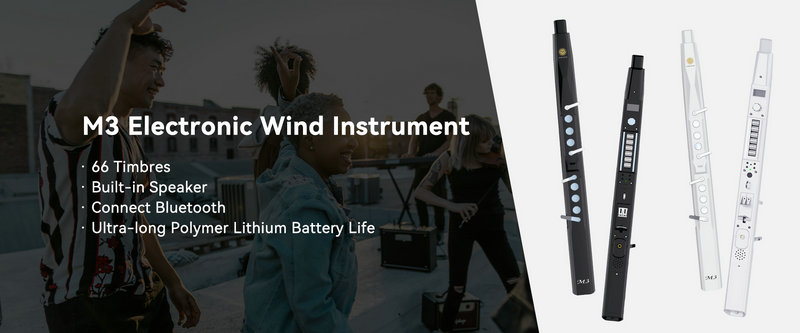
SUNRISE MELODY M3 Electronic Wind Instrument - The best-selling Electronic Wind Instrument
. 66 Timbres
. Built-in Speaker
. Connect Bluetooth
. Ultra-long Polymer Lithium Battery Life