
When updating the software and hardware for electric wind instruments, there are several important things to pay attention to:
Software Update:
Check Compatibility: Before initiating the software update, ensure that your instrument is compatible with the new software version. Check the manufacturer's website or documentation for information regarding compatible models and operating systems.
Backup Your Data: It is advisable to back up any important settings, presets, or user data before performing the software update. This will prevent the loss of your personalized configurations in case something goes wrong during the update process.
Follow Manufacturer's Instructions: Carefully read and follow the instructions provided by the manufacturer for the software update. They may include specific steps to download the update, transfer it to the instrument, and initiate the installation process.
Stable Power Supply: Ensure that your electric wind instrument has a stable power supply during the update. Avoid interruptions or power outages, as this can potentially damage the instrument or the update process.
Patience and Caution: The update process may take some time, so be patient and do not interrupt it prematurely. Avoid making any other changes or operations on the instrument while the update is in progress.
Hardware Update:
Manufacturer's Support: Contact the manufacturer or an authorized service center to inquire about the availability and feasibility of hardware updates for your specific instrument. They can provide guidance on whether the update is necessary and if it is within the scope of user-performed updates.
Warranty Considerations: Updating the hardware yourself may void the instrument's warranty. If your instrument is still under warranty, it is advisable to consult the manufacturer before attempting any hardware modifications.
Proper Tools and Skills: Hardware updates often require specific tools and technical skills. Ensure that you have the necessary tools and knowledge to perform the update safely. If you are unsure, it is best to seek professional assistance.
Component Compatibility: When replacing hardware components, make sure to use compatible parts recommended by the manufacturer. Using incompatible components may lead to malfunctions or damage to the instrument.
Test and Verify: After completing the hardware update, thoroughly test the instrument to ensure that it is functioning properly. Check for any abnormalities in sound, performance, or functionality.
In general, it is important to approach software and hardware updates for electric wind instruments with caution and follow the manufacturer's guidelines. If you have any doubts or concerns, it is always best to seek professional advice or support to ensure the integrity and proper functioning of your instrument.
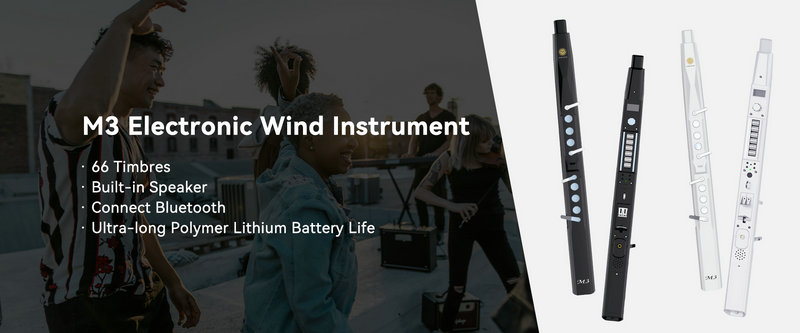
SUNRISE MELODY M3 Electronic Wind Instrument - The best-selling Electronic Wind Instrument
. 66 Timbres
. Built-in Speaker
. Connect Bluetooth
. Ultra-long Polymer Lithium Battery Life