

Here are several ways to reduce the delay of an electronic wind instrument when connected to an external device:
I. Hardware - Related Solutions
Use High - Quality Cables and Connectors
Cable Quality:
For audio and MIDI connections, use high - quality, shielded cables. For example, for MIDI connections, a well - made MIDI cable with proper shielding can reduce signal interference. In the case of audio connections (if applicable), a high - quality audio cable can ensure a clean signal transfer.
For wireless connections, if possible, use the latest Bluetooth versions (such as Bluetooth 5.0 or higher) which generally offer lower latency compared to older versions.
Connector Integrity:
Ensure that connectors are in good condition. Loose or damaged connectors can cause signal degradation and potentially increase delay. For example, a loose MIDI or audio jack can introduce intermittent connections and delays.
Choose Appropriate Hardware Interfaces
USB Connections:
If the electronic wind instrument and the external device support USB connections, use a high - speed USB port. For example, USB 3.0 or higher can provide faster data transfer rates compared to USB 2.0. Some electronic wind instruments can be connected directly to a computer via USB, and using a faster USB version can reduce the time it takes to transmit MIDI and audio data.
Some external devices may have dedicated USB - MIDI ports. Utilizing these ports can often result in more efficient data transfer compared to using a general - purpose USB port for MIDI conversion.
Optimize MIDI Ports:
If using traditional MIDI ports, ensure that they are properly configured. Some MIDI interfaces allow for settings such as buffer size adjustment. Reducing the buffer size (while still maintaining stability) can decrease MIDI data latency. However, setting the buffer size too low may cause data loss or glitches, so it needs to be adjusted carefully.
Upgrade Hardware Components (if possible)
Firmware Updates:
Check if there are firmware updates available for the electronic wind instrument. Manufacturers may release firmware updates that improve the instrument's performance, including reducing latency when connected to external devices. These updates can optimize the instrument's internal processing algorithms and communication protocols.
Similarly, check for firmware updates for the external device. For example, an audio interface may have updates that enhance its MIDI and audio handling capabilities, reducing overall delay.
Consider a Faster External Device:
If the current external device (such as an audio interface or synthesizer) has a reputation for high latency, consider upgrading to a device known for its low - latency performance. Some high - end audio interfaces are specifically designed to minimize latency in both MIDI and audio processing.
II. Software - Related Solutions
Adjust Buffer Settings in Digital Audio Workstations (DAWs)
In a DAW, if the electronic wind instrument is being used for recording or playback, the buffer size can be adjusted. A smaller buffer size generally reduces latency but may require more processing power. For example, in Ableton Live, you can access the audio settings and reduce the buffer size until you start to notice audio glitches. Then, increase it slightly to find the optimal balance between low latency and stable performance.
Some DAWs also have specific MIDI buffer settings. Adjusting these settings can help in reducing MIDI - related delay. However, as with audio buffer settings, it is important to find a balance to avoid data issues.
Use Dedicated Low - Latency Drivers
Some electronic wind instruments or external devices may have dedicated drivers available. Installing these drivers can often improve the performance and reduce latency. For example, a particular audio interface may have a driver that is optimized for low - latency operation when used with Windows or Mac operating systems.
Close Unnecessary Background Applications
On the computer or device running the DAW or handling the connection, close any unnecessary background applications. These applications can consume system resources and potentially slow down the data processing related to the electronic wind instrument. For example, having multiple browser tabs open with streaming videos or other resource - intensive applications running in the background can affect the performance when using an electronic wind instrument.
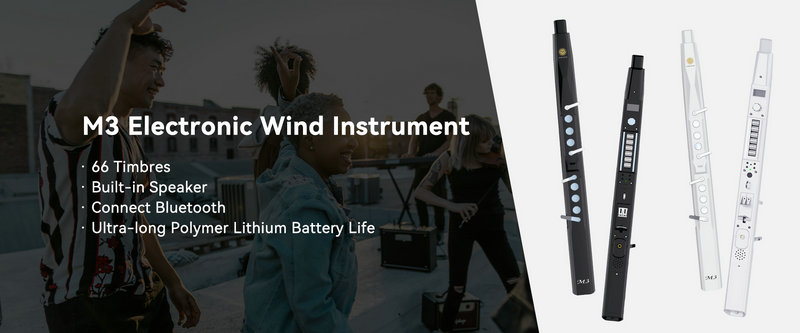
SUNRISE MELODY M3 Electronic Wind Instrument - The best-selling Electronic Wind Instrument
. 66 Timbres
. Built-in Speaker
. Connect Bluetooth
. Ultra-long Polymer Lithium Battery Life