

Here are several ways to determine if your EWI's processor is causing audio glitches:
1. Isolate the Problem
Test with Different Sounds: Switch between a variety of built-in and custom sounds on your EWI. If the glitches occur consistently with certain sounds but not others, it may indicate that the problem is related to the complexity or compatibility of those specific sound patches rather than the processor. However, if glitches happen regardless of the sound being used, the processor is more likely to be the culprit.
Use Different Modes or Settings: Some EWIs have different operating modes or settings that can affect how the instrument processes sounds. For example, you can try switching between polyphonic and monophonic modes, or adjusting the sensitivity settings of the sensors. If the glitches persist or change in frequency or severity regardless of these mode or setting changes, it suggests that the processor may be involved.
2. Monitor System Resources
Check for CPU Usage: If your EWI has a built-in display or is connected to a computer or other device that can monitor its internal resources, check the CPU usage during sound switching. If the CPU usage spikes to near 100% or shows a significant increase during the switching process and coincides with the occurrence of glitches, it is a strong indication that the processor is being overloaded and may be causing the audio problems.
Observe Memory Allocation: Similarly, monitor the memory usage of the EWI. If you notice that the available memory is consistently low or that the instrument is constantly swapping data in and out of memory during sound switching, it could suggest that the processor is struggling to manage the memory requirements, which may be contributing to the glitches.
3. Compare with Other Instruments or Setups
Test on Different EWIs: If possible, try the same sound patches and switching scenarios on another EWI of the same or a similar model. If the other instrument does not exhibit the same glitches, it strongly suggests that there is an issue with the processor or other components in your particular EWI.
Use Different MIDI Setups: If you are using the EWI with external MIDI devices, change the MIDI setup by using different cables, ports, or connected devices. If the glitches disappear or change in nature when using a different MIDI setup, it indicates that the problem may be related to the MIDI communication rather than the EWI's processor. However, if the glitches remain consistent regardless of the MIDI setup, the processor is more likely to be the source of the issue.
4. Update Firmware and Drivers
Check for Firmware Updates: Visit the manufacturer's website to see if there are any available firmware updates for your EWI. Manufacturers often release updates to improve the performance and stability of their instruments, including fixes for processor-related issues. Install the latest firmware and test the sound switching again. If the glitches are reduced or eliminated after the update, it suggests that the original problem was related to software or firmware issues affecting the processor's operation.
Update MIDI Drivers: If you are using the EWI with a computer, make sure that the MIDI drivers for the instrument and any connected MIDI interfaces are up to date. Outdated drivers can cause communication problems between the EWI and the computer, which may manifest as audio glitches. Update the drivers and repeat the sound switching tests to see if there is any improvement.
5. Analyze the Glitch Patterns
Consistency of Glitches: Pay attention to the consistency and predictability of the glitches. If the glitches occur at regular intervals or in a specific pattern during sound switching, it may indicate a problem with the processor's internal clock or timing mechanisms. For example, if the glitches happen every few seconds or always occur when switching to a particular type of sound, it could suggest a flaw in the way the processor is handling the associated tasks.
Type of Glitches: Different types of glitches can provide clues about the source of the problem. Pops, clicks, or momentary interruptions in the sound are often associated with issues related to audio processing and may point to a problem with the processor's ability to handle the rapid changes in sound data. On the other hand, if you experience distorted or incorrect sounds that do not resemble typical audio glitches, it may be due to other factors such as sensor calibration or sound library errors, although the processor could still be involved in some cases.
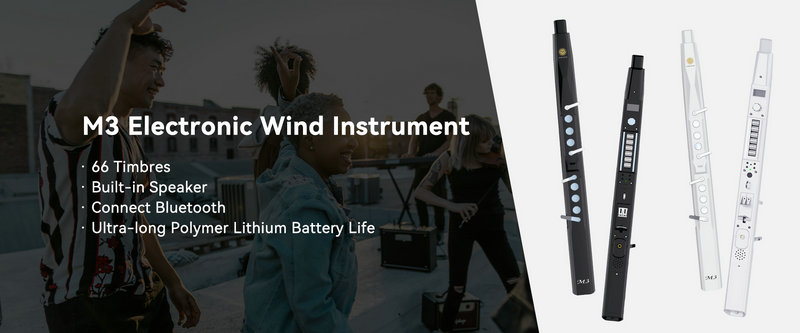
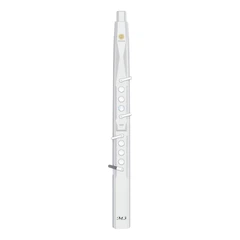
SUNRISE MELODY M3 Electronic Wind Instrument - The best-selling Electronic Wind Instrument
. 66 Timbres
. Built-in Speaker
. Connect Bluetooth
. Ultra-long Polymer Lithium Battery Life