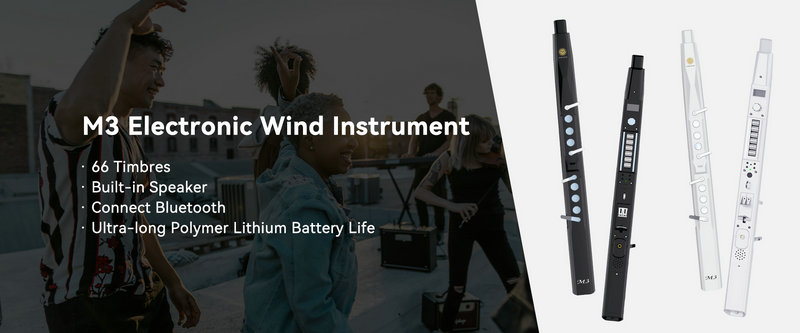

The M3 Electronic Wind Instrument offers a variety of timbres, with a total of 66 types available. These timbres cover a range of instrument sounds, from traditional woodwinds to electronic and synthesized sounds. Here's how you can switch and adjust the timbres:
Timbre Selection: The default function on the display screen is timbre switching. You can rotate the function knob left and right to switch between different timbres.
Function Knob: Press the function knob to rotate left and right, which allows you to switch between various parameters including timbre, volume, transposition, fingering, vibrato rate, vibrato amplitude, blowing force, portamento rate, reverberation adjustment, and more.
Parameter Adjustment: After selecting the timbre parameter using the function knob, press the function knob again to enter the parameter adjustment mode. From there, you can adjust the specific settings for each timbre.
Display Screen: The display screen shows the current timbre and other parameters during adjustment, making it easy to view and change settings as needed.
Timbre Storage Area: The M3 also has a timbre storage area, which allows you to save your preferred timbres for quick access later.
Timbre Table: The manual includes a timbre table that lists the serial numbers and corresponding timbres, making it easy to identify and select the desired sound.
By utilizing these controls and features, users can explore a diverse range of sounds and find the perfect timbre for their performance or practice session on the M3 Electronic Wind Instrument.
SUNRISE MELODY M3 Electronic Wind Instrument - The best-selling Electronic Wind Instrument
. 66 Timbres
. Built-in Speaker
. Connect Bluetooth
. Ultra-long Polymer Lithium Battery Life