
If the EWI firmware update fails, you can try the following steps to troubleshoot and resolve the issue:
1. Check the Connection
Verify Physical Connection: Ensure that the MIDI cable or other connection method between your EWI and the computer is securely plugged in at both ends. If it's a wireless connection, check the signal strength and make sure the devices are properly paired.
Try a Different Cable or Port: If possible, use a different MIDI cable to rule out the possibility of a faulty cable. Also, try connecting to a different USB port or MIDI interface on your computer to see if the issue is related to a specific port.
2. Review the Update Process
Check for Errors or Warnings: During the update process, there may have been error messages or warnings displayed on the computer screen or the EWI itself. Take note of any such messages as they can provide valuable clues about what went wrong. Refer to the firmware update instructions or the manufacturer's website for information on how to interpret these error codes.
Ensure Proper Procedure: Double-check that you followed the firmware update instructions correctly. Make sure you downloaded the correct firmware file for your EWI model and that you used the appropriate software or method to initiate the update. If you missed any steps or made an error during the process, repeat the update following the correct procedure.
3. Restart Devices
Restart the EWI: Turn off the EWI and then turn it back on again. This can sometimes resolve temporary glitches or conflicts that may have occurred during the update process. Wait for the instrument to fully initialize before attempting the update again.
Restart the Computer: Similarly, restart your computer to clear any potential software conflicts or issues that could be affecting the update. Close all other unnecessary programs before restarting to ensure a clean startup.
4. Reinstall the Update Software
Uninstall and Reinstall: If you are using specific update software provided by the manufacturer, uninstall it from your computer and then reinstall it. This can help fix any corrupted or missing files in the update software that may be causing the update to fail. Make sure to download the latest version of the update software from the manufacturer's website.
Check for Software Compatibility: Ensure that the update software is compatible with your computer's operating system. If you recently updated your operating system, there may be compatibility issues that need to be addressed. Check the manufacturer's website for any known compatibility problems and solutions.
5. Try a Different Firmware Version
Rollback to a Previous Version: If possible, try rolling back to a previous working firmware version. This can help determine if the problem is specific to the new firmware you were attempting to install. Check the manufacturer's website for instructions on how to downgrade the firmware on your EWI.
Wait for a New Version: It's possible that the firmware update you downloaded had some unforeseen issues or bugs. Check the manufacturer's website regularly for any new firmware releases or patches that may address the problem you encountered. Wait for a more stable version to be available before attempting the update again.
6. Contact Manufacturer Support
Gather Information: Before contacting support, gather as much information as possible about the update failure. This includes the error messages you received, the steps you took during the update process, and any other relevant details. This will help the manufacturer's support team more quickly and accurately diagnose the problem.
Reach Out for Assistance: Contact the EWI manufacturer's customer support through their official channels, such as phone, email, or online support forms. Explain the situation and provide them with the information you gathered. They may be able to offer further troubleshooting steps, provide a solution, or even offer to repair or replace the EWI if it is determined to be a hardware-related issue.
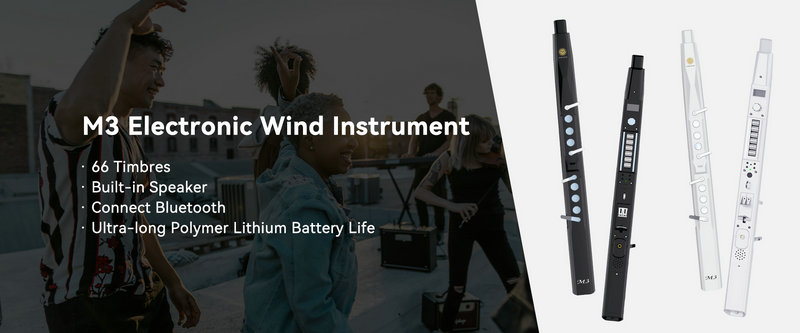
SUNRISE MELODY M3 Electronic Wind Instrument - The best-selling Electronic Wind Instrument
. 66 Timbres
. Built-in Speaker
. Connect Bluetooth
. Ultra-long Polymer Lithium Battery Life