

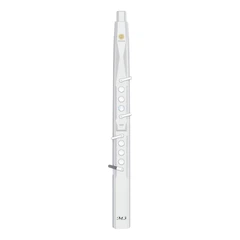

Before Playing
Power On
Locate the power button on the electronic wind instrument, which is usually on the side or the back of the instrument. Press and hold the button for a few seconds until the instrument powers on. Some models may also have a power indicator light that will turn on to show that the instrument is powered.
Sound Selection
Most electronic wind instruments come with a variety of preset sounds, such as saxophone, flute, trumpet, etc. Use the sound selection buttons or knobs to choose the desired sound. These buttons are usually located on the front or side of the instrument and are clearly marked with the names of different sounds.
Connect to Amplifier or Other Devices (Optional)
If you want to play the electronic wind instrument through an amplifier or connect it to other devices such as a computer for recording, first make sure you have the appropriate cables. Connect one end of the audio cable to the audio output jack on the electronic wind instrument and the other end to the input jack of the amplifier or the corresponding port on the computer.
During Playing
Holding the Instrument
Hold the electronic wind instrument in a comfortable position, similar to how you would hold a traditional wind instrument. The mouthpiece should be placed in your mouth, and your fingers should be positioned on the keys. Make sure you have a good grip on the instrument to ensure stable playing.
Breathing and Finger Control
Blow into the mouthpiece gently and steadily to produce sound. The strength and speed of your breath will affect the volume and dynamics of the sound. At the same time, press the keys with your fingers to change the pitch and play different notes. The fingerings may vary depending on the type of sound you have selected and the design of the instrument, but generally, they are similar to the fingerings of traditional wind instruments.
Adjusting Settings
While playing, you can adjust various settings such as volume, tone, and effects. These controls are usually located on the instrument's body and can be adjusted in real-time according to your needs. For example, you can turn a knob to increase or decrease the volume, or press a button to switch between different effect modes.
After Playing
Power Off
When you are finished playing, press and hold the power button again until the instrument powers off. This helps to conserve battery power if the instrument is battery-powered or protect the internal components in case of a power surge.
Disconnect Cables (If Connected)
If you had connected the electronic wind instrument to an amplifier or other devices, disconnect the cables carefully to avoid damaging the ports or the cables. Store the cables in a safe place for future use.
Clean and Store
Wipe the mouthpiece and the body of the instrument with a clean, soft cloth to remove any saliva or dirt. Store the electronic wind instrument in a dry, cool place, preferably in a case or a protective bag to prevent dust and scratches.
These are the basic operation steps for an electronic wind instrument. The specific operations may vary depending on the model and brand of the instrument, so it is recommended to read the user manual carefully before using.For specific operations, please check the website. Each model has corresponding operation procedures./electronic-wind-instrument/electric-saxophone-ewi.html
