

To adjust the portamento speed on the M3 Electronic Wind Instrument, you would follow these steps:
Access the Function Menu: Locate the function knob on your M3 Electronic Wind Instrument, which is used to navigate through various settings and parameters.
Select Portamento Setting: Rotate the function knob until the display shows the portamento rate setting. This setting is typically represented by a parameter that affects how quickly the instrument glides from one note to another when the portamento effect is engaged.
Enter Adjustment Mode: Once the portamento rate setting is highlighted on the display, press the function knob to enter the adjustment mode for portamento speed.
Adjust the Speed: With the adjustment mode active, rotate the function knob again to increase or decrease the portamento speed. The display should show a numerical value that corresponds to the speed of the portamento effect, with higher values indicating a faster glide between notes.
Fine-Tune to Preference: Adjust the portamento speed until it suits your playing style and the musical context. You may want to test the new setting by playing a note and then smoothly transitioning to another note while engaging the portamento bar to hear the effect in real-time.
Confirm and Exit: After setting the desired portamento speed, you can either rotate to another setting, or if necessary, press the function knob again to confirm and exit the portamento speed adjustment menu.
Practice: It might take some practice to get used to the new portamento speed, so take the time to experiment and find the setting that best fits your musical expression.
Remember that the exact steps might vary slightly depending on the specific firmware or software version of your M3 Electronic Wind Instrument, so always refer to the user manual for the most accurate guidance. If you encounter any difficulties, the user manual should also provide troubleshooting tips or you can contact Sunrise Melody's customer service for assistance.
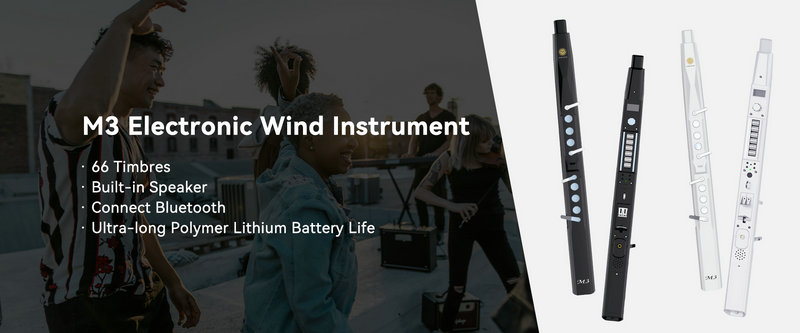
SUNRISE MELODY M3 Electronic Wind Instrument - The best-selling Electronic Wind Instrument
. 66 Timbres
. Built-in Speaker
. Connect Bluetooth
. Ultra-long Polymer Lithium Battery Life