

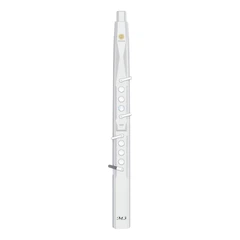

The battery of a digital saxophone is an essential component that powers the instrument and enables its various functions. To ensure the longevity and optimal performance of the battery, it is important to follow proper maintenance and usage practices. In this article, we will explore several ways to prolong the service life of the battery of a digital saxophone.
I. Understanding Battery Chemistry
Before delving into specific maintenance tips, it is helpful to understand the basic chemistry of the battery used in a digital saxophone. Most digital saxophones use lithium-ion batteries, which offer several advantages over other battery types. Lithium-ion batteries have a high energy density, meaning they can store a large amount of energy in a relatively small and lightweight package. They also have a low self-discharge rate, which allows them to hold their charge for longer periods when not in use. Additionally, lithium-ion batteries can be recharged many times without significant degradation in performance.
II. Charging Practices
Use the Correct Charger
Always use the charger provided by the manufacturer or a compatible charger recommended by the manufacturer. Using an incorrect charger can damage the battery and reduce its lifespan. Make sure the charger is designed for the specific voltage and current requirements of your digital saxophone battery.
Avoid Overcharging
Do not leave the battery on the charger for an extended period after it has been fully charged. Overcharging can cause the battery to overheat and damage its internal components. Most modern chargers have built-in safety features to prevent overcharging, but it is still a good practice to unplug the charger once the battery is fully charged.
Charge at the Right Temperature
Charge the battery in a moderate temperature environment. Extreme temperatures can affect the charging process and reduce the battery's lifespan. Avoid charging the battery in very hot or very cold temperatures. Ideally, the charging temperature should be between 10°C and 35°C (50°F and 95°F).
Partial Charging
It is not necessary to fully charge the battery every time. Partial charging can be beneficial for the battery's lifespan. Lithium-ion batteries do not suffer from the "memory effect" like some older battery types, so you can charge the battery as needed without worrying about reducing its capacity.
III. Discharge Practices
Avoid Deep Discharges
Try to avoid completely discharging the battery until the digital saxophone shuts down. Deep discharges can put stress on the battery and reduce its lifespan. Most digital saxophones have a low battery indicator that warns you when the battery is running low. When you see this indicator, it is time to recharge the battery.
Regular Use
Regularly using the battery can help maintain its health. Lithium-ion batteries perform better when they are cycled regularly. However, avoid leaving the battery in a discharged state for long periods, as this can also damage the battery.
Storage Discharge
If you plan to store the digital saxophone for an extended period, it is a good idea to discharge the battery to about 50% capacity before storage. This helps prevent the battery from over-discharging or overcharging during storage.
IV. Environmental Factors
Temperature
As mentioned earlier, extreme temperatures can have a negative impact on the battery's lifespan. Avoid leaving the digital saxophone in direct sunlight or in a hot car for extended periods. Similarly, do not expose the battery to very cold temperatures, as this can reduce its performance.
Humidity
High humidity can also damage the battery. Store the digital saxophone in a dry place and avoid exposing it to moisture. If possible, use a desiccant pack to absorb any moisture in the storage area.
Vibration and Shock
Avoid subjecting the digital saxophone to excessive vibration or shock. This can damage the battery and its internal components. Use a protective case or bag when transporting the instrument to minimize the risk of damage.
V. Software and Settings
Power Management Settings
Check if your digital saxophone has power management settings. These settings can help optimize the battery usage by adjusting the brightness of the display, turning off unnecessary features, or putting the instrument into a sleep mode when not in use.
Firmware Updates
Keep your digital saxophone's firmware up to date. Manufacturers may release firmware updates that improve battery performance and address any issues related to power management. Follow the manufacturer's instructions to update the firmware regularly.
VI. Maintenance and Care
Clean the Battery Contacts
Periodically clean the battery contacts on the digital saxophone and the battery itself. Dirt and corrosion on the contacts can interfere with the charging process and reduce the battery's performance. Use a soft cloth or cotton swab dipped in rubbing alcohol to clean the contacts.
Store the Battery Properly
When not in use, store the battery in a cool, dry place. Avoid storing the battery in a fully charged or fully discharged state. If possible, store the battery in a plastic bag or container to protect it from dust and moisture.
Inspect the Battery Regularly
Regularly inspect the battery for any signs of damage, such as swelling, leaks, or cracks. If you notice any damage, stop using the battery immediately and contact the manufacturer or a qualified technician for replacement.
By following these tips, you can prolong the service life of the battery of your digital saxophone and ensure that it continues to perform reliably for years to come. Remember to always follow the manufacturer's instructions and safety guidelines when using and maintaining your digital saxophone.
SUNRISE MELODY M1 Electronic Wind Instrument
. Revisit the passion and dreams of youth
. M1 electric clarinet wind instrument -- The good news for beginners
. Rich and diverse timbres
. Powerful functions and easy operation
. Perfect after-sales service
